✦ Little Beatrice · AI for Home Interiors & Upcycling ✦
A practical mini course for complete beginners — learn how to use free AI tools to generate interior design ideas, colour palettes, and upcycling inspiration. No design experience. No tech skills. Just beautiful results.
🔒 Instant download · PDF guides + Canva templates
Sound familiar?
You scroll Pinterest for hours, save a thousand posts, and still feel stuck. What you actually need is a way to turn your ideas into something clear, visual, and achievable.
"I have no idea what my style even is — I just know I don't love what I have."
"I can't afford an interior designer — but I still want my home to feel intentional."
"I want to upcycle furniture but I can't visualise how it'll look before I pick up the paintbrush."
"I've heard AI can help with design but I don't have a clue where to start."
"I keep buying things I love individually — but nothing ever seems to go together."
"I've been meaning to sort this room for two years. I just need someone to show me how."
Your guide
I'm not an interior designer. I'm just someone who has been mildly (okay, completely) obsessed with interiors, upcycling, and the art of making a home feel truly yours for the past 15 years. My three kids have learned to live with it. Mostly. Rusty the Cocker Spaniel remains unconvinced, but he has opinions about everything.
The AI chapter began, as many things in our house do, with my husband Jamie. He's a tech geek of the highest order — the kind of person who gets genuinely excited about AI tools the way normal people get excited about a new series dropping. For months he kept saying "you should try this for your design stuff." For months I kept nodding politely and going back to my Pinterest boards.
Then one quiet Tuesday evening I gave in. I typed a vague, slightly embarrassing description of what I wanted our hallway to feel like — and what came back genuinely stopped me in my tracks. Clear ideas. A colour palette I actually loved. A direction I could follow. I haven't looked back since, and I've forgiven Jamie for being right.
This mini course is everything I've learned since that Tuesday, distilled into something simple, warm, and built around a real home — ours. A lovely cottage in North Bedfordshire that we're slowly, joyfully redesigning one room at a time. Jamie built the whole course, naturally, with a little help from his friend Claude.
Real results
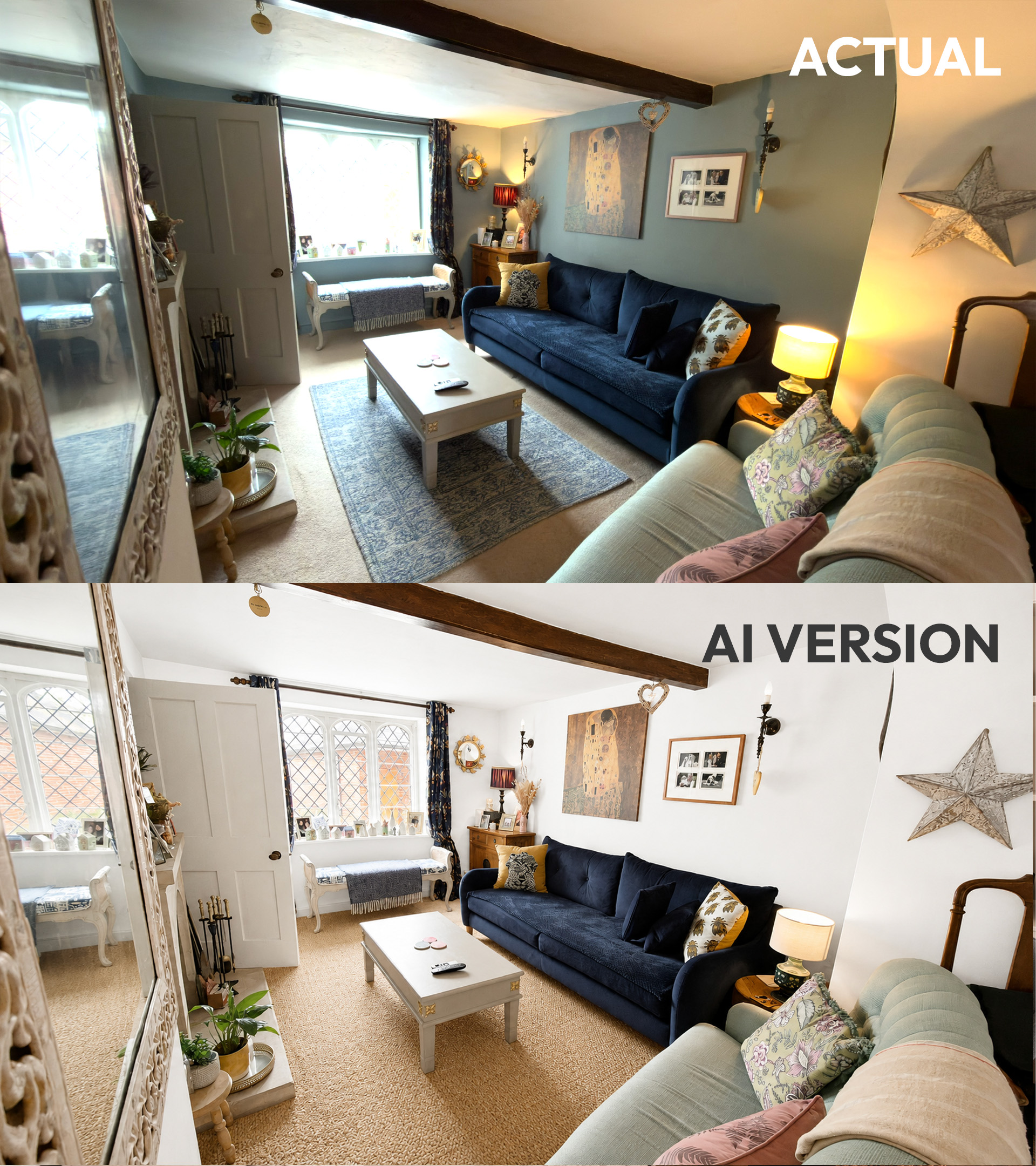
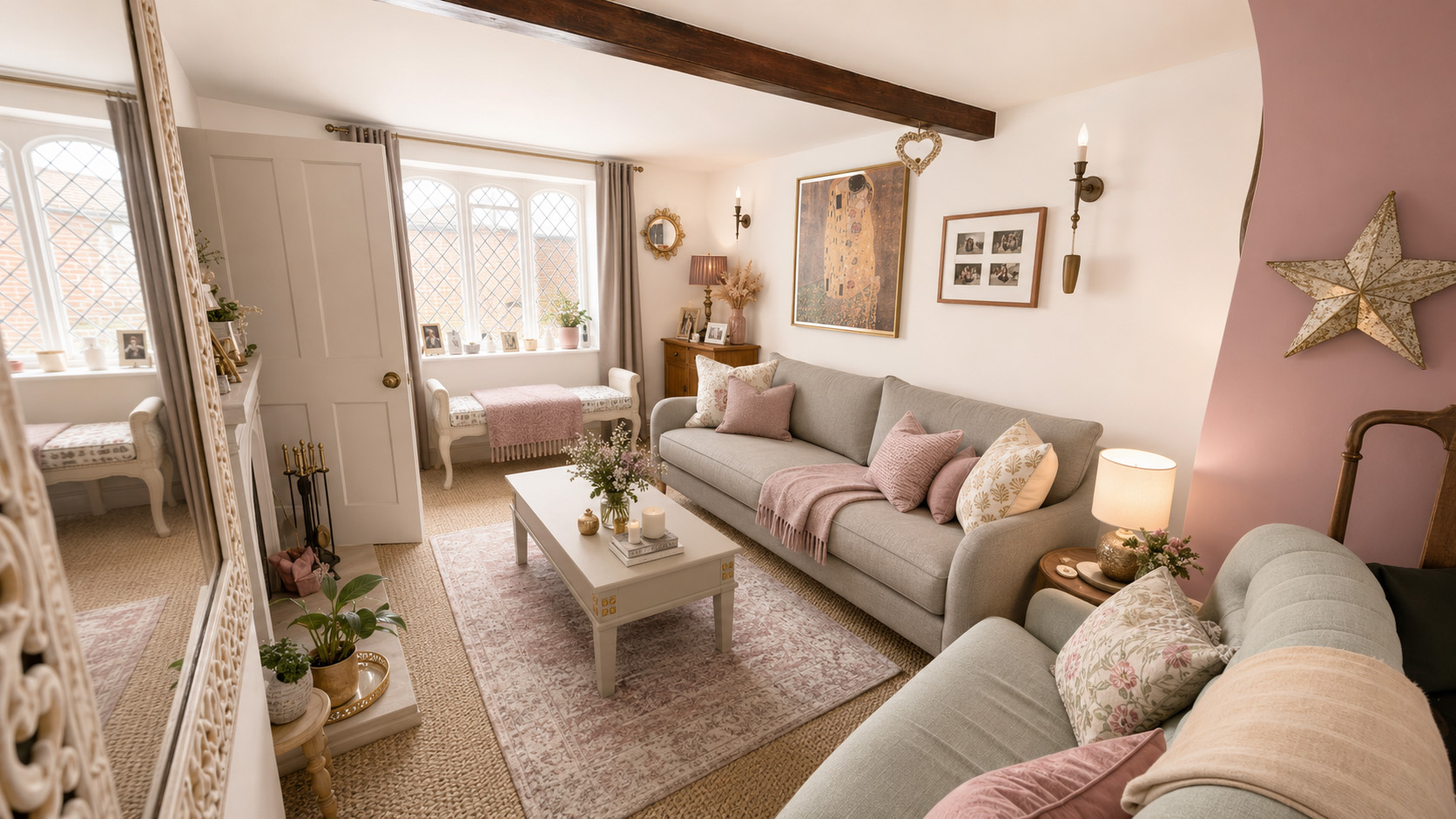
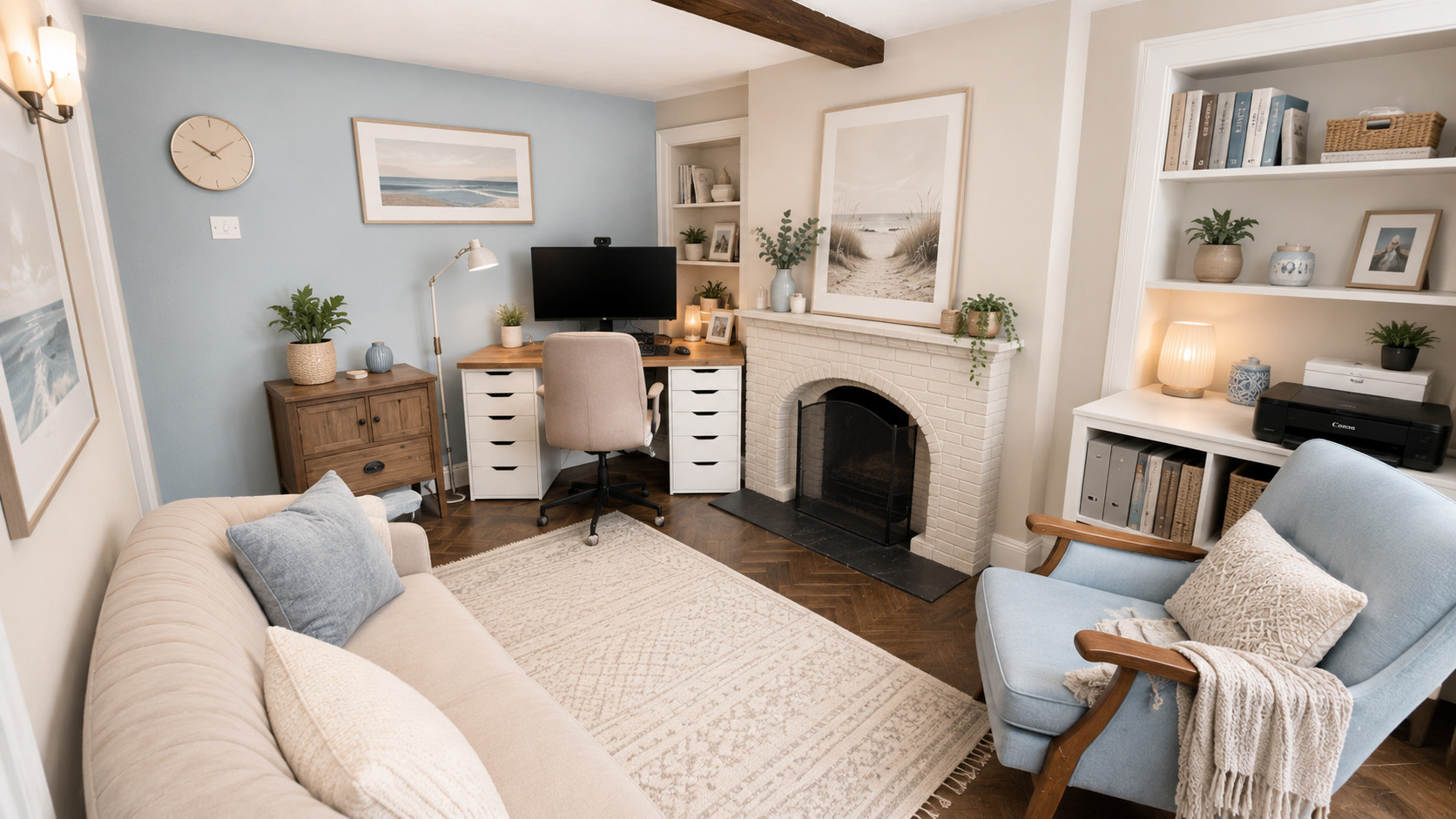
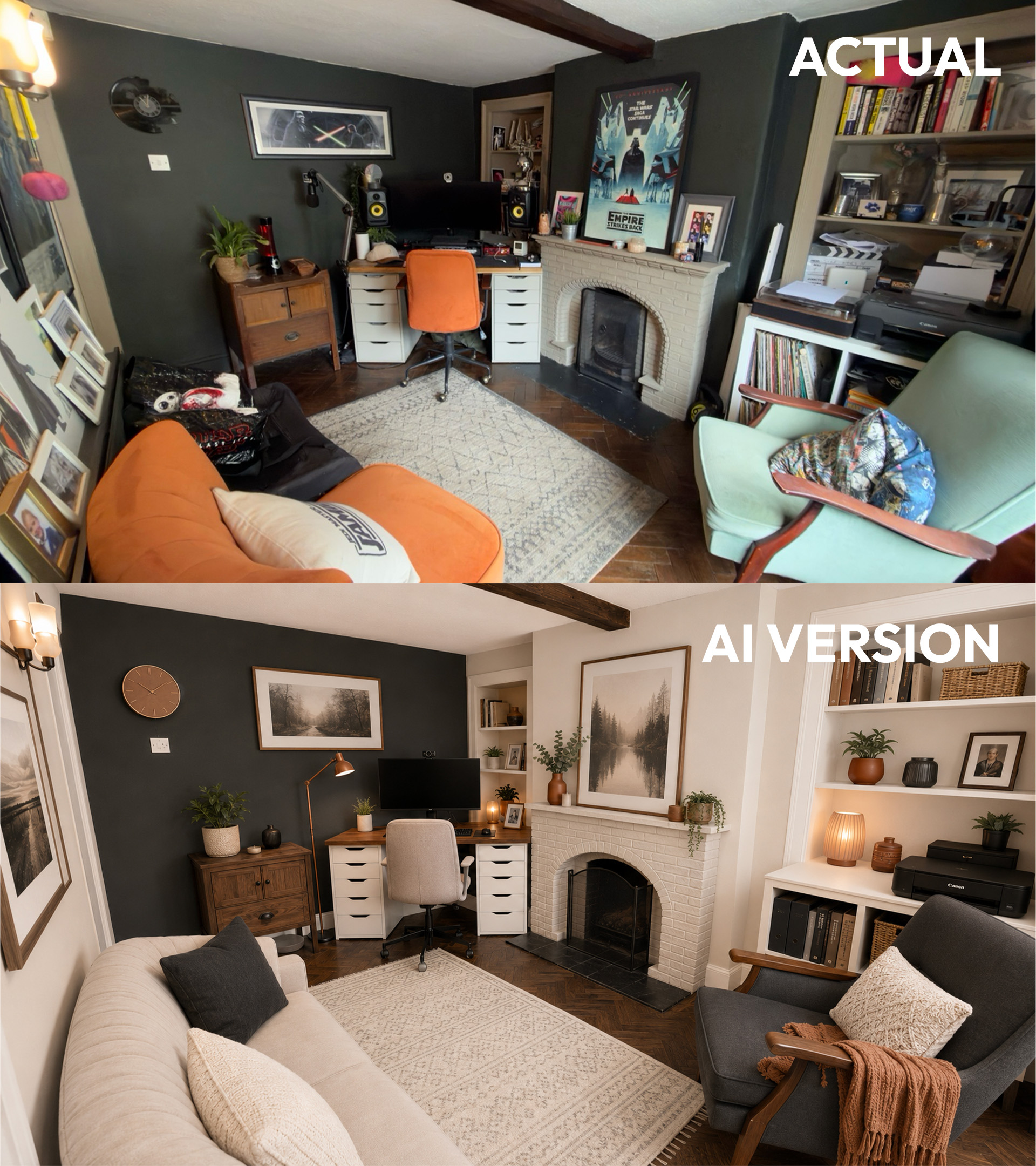
From a prompt to a finished room — here are two real spaces transformed using the exact techniques in this mini course.
Home Office
Living Room
What's inside
Three beautifully written guides, a 30-prompt swipe file, 10 premade moodboards, and 1 editable Canva template to bring it all to life.
PDF Guide · Start Here
A warm, reassuring introduction to the course — what's inside, how to use it, and the only three steps you'll ever need. Perfect if you're feeling a little unsure about where to begin.
PDF Guide · 5 pages · Foundations
A plain-English, jargon-free introduction to what AI actually is and how it works — written for people who'd rather be rearranging their living room than reading a tech manual.
PDF Guide · 10 pages · The Heart of the Course
The prompting guide. A simple four-part formula for writing prompts that actually work — then 16 worked examples drawn straight from real interiors and upcycling projects, followed by a 30-prompt swipe file to keep close.
Canva Templates
Ten moodboard templates, each built around a distinct colour palette — from warm neutrals and forest retreat to midnight navy and terracotta living. Swap in your own photos, tweak the colours, and make them yours.
Colour Palettes
Ten ready-made colour inspiration moodboards, plus one fully editable Canva template so you can build your own from scratch.
Home Office
This room had a dark feature wall and no clear direction. A handful of prompts later, I had a palette, a furniture plan, and the confidence to actually make changes.
The blue was chosen by AI. The chair was found in a charity shop for £12.
Coastal Calm paletteIs this for me?
Ready to start?
Get instant access to everything — three PDF guides, a 30-prompt swipe file, 10 premade moodboards, and 1 editable Canva template.
One-time payment · Instant download · No subscription
Questions